What are passkeys and how do they work?
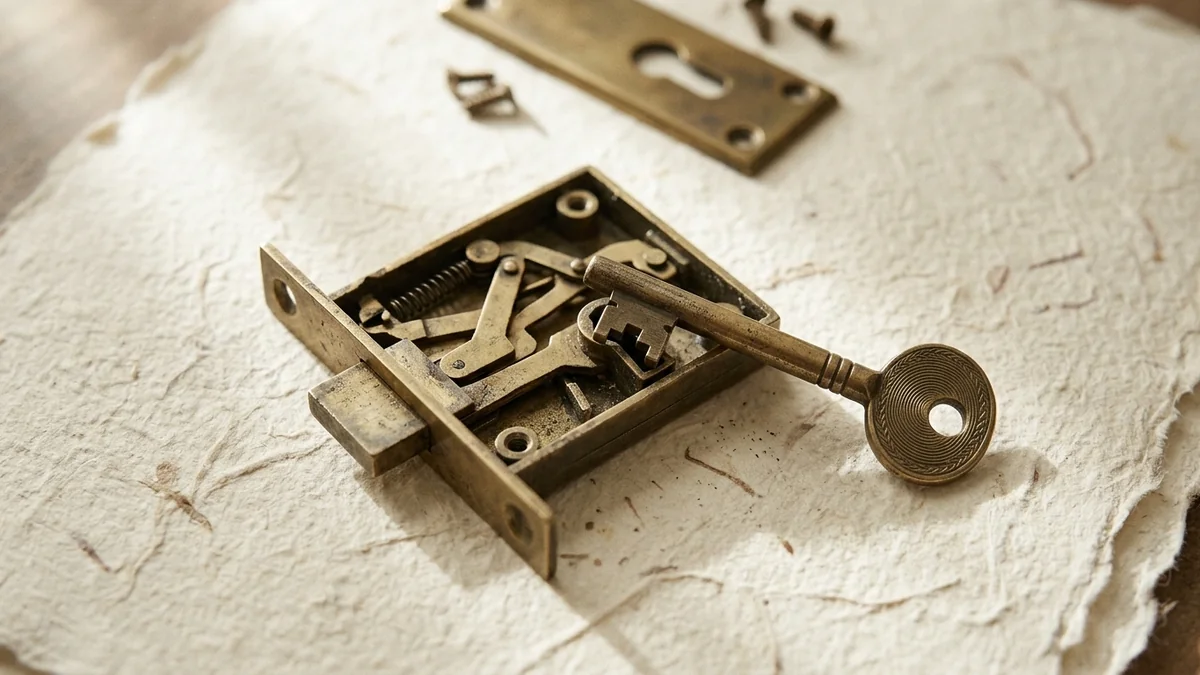
What are passkeys? They are sign-in credentials that replace the password with a pair of cryptographic keys. The private key stays on your device or in your credential manager, and the website keeps only the public key. Each sign-in is approved with the device's screen lock (fingerprint, face scan or PIN), and the biometric check never leaves the device. A passkey works only on the site it was created for, so a fake login page cannot collect it.
The UK's National Cyber Security Centre (NCSC) recommends passkeys over passwords wherever they are available, and its guidance on passkeys for the public calls them a more secure alternative to passwords and traditional two-step verification. In September 2026 the UK government announced a rollout across GOV.UK One Login, open to more than 23 million users.
How a passkey works, step by step
A passkey is a pair of linked keys. According to Apple, the device generates a unique pair for every account, the public key goes to the server and is not a secret, and the server never learns the private key.
- Creation. In the account's security settings, or after a "create a passkey" prompt, the device generates the pair and registers the public key.
- Sign-in request. An email address is entered, and the service sends a unique challenge.
- Local check. The device asks for its screen lock. The FIDO Alliance says the server only sees that the biometric check succeeded.
- Signature. The device signs the challenge with the private key, and the service verifies the signature with the public key.
Two design points matter. The passkey is bound to the site's domain: Microsoft's example is that a passkey created for netflix.com works only with netflix.com, and the W3C WebAuthn standard says browsers and authenticators enforce this scoping together. And the service holds only public keys, so as the FIDO Alliance puts it, there are no passwords to steal. On a computer without the passkey, GOV.UK describes scanning a QR code with the phone that holds it, with Bluetooth on for both devices.
Passkey, password and one-time code compared
On 23 April 2026 the NCSC published a technical paper comparing a password alone, a password with a traditional second factor (SMS, email or app code, or a push approval) and a FIDO2 credential, the standard family that includes passkeys. An extract:
| Attack | Password only | Password plus second factor | Passkey (FIDO2) |
|---|---|---|---|
| Adversary-in-the-middle phishing | Always vulnerable | Always vulnerable | Never vulnerable |
| Malware on the device | Always vulnerable | Potentially vulnerable | Situation dependent |
| Device theft with a weak PIN | Potentially vulnerable | Commonly vulnerable | Potentially vulnerable |
In adversary-in-the-middle phishing a fake page relays the password and code to the real service. The NCSC judges every traditional second factor open to this. Malware and a stolen phone with a weak PIN still matter: the NCSC paper stresses that the security of the device and browser stays important.
A passkey replaces both steps rather than adding a second one. Where the service asks for user verification, the NCSC counts it as multi-factor: the private key is something the user has, the biometric or PIN something the user is or knows. The FIDO Alliance adds that on its own a passkey is more secure than a password plus a one-time code or phone approval.
Where passkeys are stored
The FIDO Alliance defines a passkey provider as the built-in credential manager of a browser or operating system, or a third-party app or extension. The NCSC expects most people to use the default one, such as Apple Passwords, Google Password Manager or Samsung Pass.
| Storage | What the sources say |
|---|---|
| Built-in credential manager | Synchronises passkeys across devices; Apple says iCloud Keychain is end-to-end encrypted |
| Single device (device-bound) | Stays on the device where it was created and does not sync, says Microsoft |
| Hardware security key | Device-bound; the FIDO Alliance says passkeys on modern hardware keys offer the highest security assurance |
Terms differ: the FIDO Alliance calls both synced and device-bound credentials passkeys, while the NCSC defines a passkey as a synchronised one and calls the others single-device passkeys. The FIDO Alliance warns that synced passkeys are vulnerable to theft; the NCSC compares synchronisation with the cloud sync that password managers already use and names the strength of the sync account's own sign-in as the key control. Google and GOV.UK both advise against creating passkeys on shared devices.
What happens if you lose the device
- Synced passkey. It stays on the other devices and returns on a new one once the same credential manager is set up, says the FIDO Alliance. Apple adds that iCloud Keychain escrow can restore passkeys even after every device is lost, using the iCloud password, an SMS reply and the device passcode.
- Device-bound passkey. Microsoft states that if you lose the device, you lose the passkey unless another recovery method exists. The W3C advises services to let people register several credentials, one as backup.
- Lost or stolen device. Sign in elsewhere and remove its passkey in the account settings, as Google and GOV.UK instruct. The NCSC notes that deleting the private key from a phone does not automatically invalidate the public key at the service.
The weak point is rarely the passkey itself. The NCSC paper reports that attackers target account recovery because it is often weaker than signing in, and expects downgrade attacks that push people back to a method that can be phished. Google confirms that adding a passkey leaves existing sign-in and recovery factors in place, and GOV.UK keeps the password and a security code as a back-up route.
Where passkeys work, and where they do not
All major operating systems and browsers support passkeys, says the FIDO Alliance, but they work only on services that offer them.
| Case | What the provider says |
|---|---|
| Google Account | Windows 10, macOS Ventura, ChromeOS 109, Android 9 or iOS 16 or newer; Chrome 109, Safari 16, Edge 109 or Firefox 122 or newer |
| GOV.UK One Login (UK) | iOS 16, Android 10, Windows 10 or macOS Ventura 13 or newer; screen lock needed; passkeys are optional |
| Work or school accounts | Google: a passkey alone may not be allowed, the administrator decides. Microsoft: only if the organisation supports it |
| Private browsing | Google: on some systems and browsers passkeys cannot be created or used in Incognito mode |
Where a service has no passkeys, the NCSC advises a strong, generated password with two-step verification switched on.
Common questions
Is my fingerprint sent to the website?
No. The FIDO Alliance says biometric information stays on the device and is never sent to a remote server; the server only sees that the check succeeded. Google and GOV.UK say the same about their own services.
Is a passkey the same as two-factor authentication?
It replaces both the password and the second step. Where the service asks for user verification, the NCSC counts a passkey as multi-factor: the key is something you have, the biometric or PIN something you are or know.
What happens to my passkeys if I lose my phone?
Synced passkeys stay on your other devices and return on a new one through the same credential manager. Device-bound passkeys are lost with the device unless you registered another. Remove the lost device's passkey in your account settings.
Why can a fake website not steal a passkey?
A passkey is tied to the domain it was created for. Microsoft's example is that one made for netflix.com works only with netflix.com, so your device does not present it to a lookalike site. No shared secret is transmitted.
Do I still need a password?
Often yes, as a fall-back. Google says adding a passkey leaves existing sign-in and recovery factors in place, and GOV.UK keeps a password and security code as a back-up. Without passkeys, the NCSC advises a strong password and two-step verification.
- FIDO Alliance, Passkeys
- W3C, Web Authentication Level 3 (Recommendation, 25 August 2026)
- GOV.UK, Using a passkey to sign in to GOV.UK One Login (28 July 2026)
- Apple Support, About the security of passkeys (16 September 2024)
- Google Account Help, Sign in with a passkey instead of a password
- Microsoft Support, What are passkeys and why they matter